Norton360 Antivirus & Security
- 4.6
- Rating
- 50.00M
- Installs
- Free
- Price

 Analysis by App-foxy
I approached Norton360 Antivirus & Security as a practical phone tool rather than something I would install and forget. Its job is to add a security layer around everyday Android use, with malware protection, a virus scanner, and a VPN presented as the main reasons to keep it available. That combination makes sense for people who move between home Wi-Fi, public networks, downloaded files, and unfamiliar websites, but it also means the app can feel more involved than a simple on-demand scanner.
The app is free to install, belongs to the Tools category, and comes from NortonMobile. It has built a very large user base, with over 50 million installs and an average score of 4.6 from around 2 million ratings. Those figures suggest that it is familiar and broadly trusted, although popularity alone does not tell me whether it will suit a particular phone. In my experience, the more useful question is whether you want an all-in-one security dashboard or only a lightweight scanner.
Where the first problems usually appear
The first point of friction is often not malware detection at all. It is understanding what the app is asking you to do during setup and which protection layer you are actually using. A security app may present scanning, notifications, network protection, and VPN access close together, so a hurried tap can leave a user unsure whether a check has completed or whether a connection feature is active.
You May Also Like

 Blood Strike: 2.5 Anniversary
Blood Strike’s Loadouts Turn Every Drop Into a Tactical Gamble
A close look at Blood Strike’s custom loadouts: how fast access to signature weapons reshapes its battle royale rhythm, rewards preparation, and narrows the gap between fights.

 Pandora - Music & Podcasts
Pandora’s Music Is Easy to Start, but Harder to Recover
Pandora’s strength is its low-effort path from a seed to a station. Its weak spot is how much confidence it asks you to place in connection, setup, and quiet recovery.

 8 Ball Pool
 Is Built on Rivalries, Rematches, and Routine
A close look at the rivalries, rematches, shared routines, and unanswered safety questions that turn a quick pool match into a persistent mobile community.

 Samsung Music
’s Quiet Strength Is Playing What You Already Own
Its reach comes less from spectacle than from dependable access to a personal library. That simplicity is both the app’s strongest retention engine and its ceiling.

 AccuWeather: Weather Radar
AccuWeather Review: A Quick, Clear Forecast for Everyday Decisions
For everyday plans, the best forecast is the one you can understand quickly. AccuWeather makes rain timing, radar, and local conditions easy to act on, with a few trade-offs.

 Hill Climb Racing
Why Hill Climb Racing Still Turns Crashes Into One More Run
A tiny car, a bumpy hill and one more upgrade: Hill Climb Racing keeps resurfacing because its simple chaos makes every near-miss feel personal.
More From Our News Desk
View All News


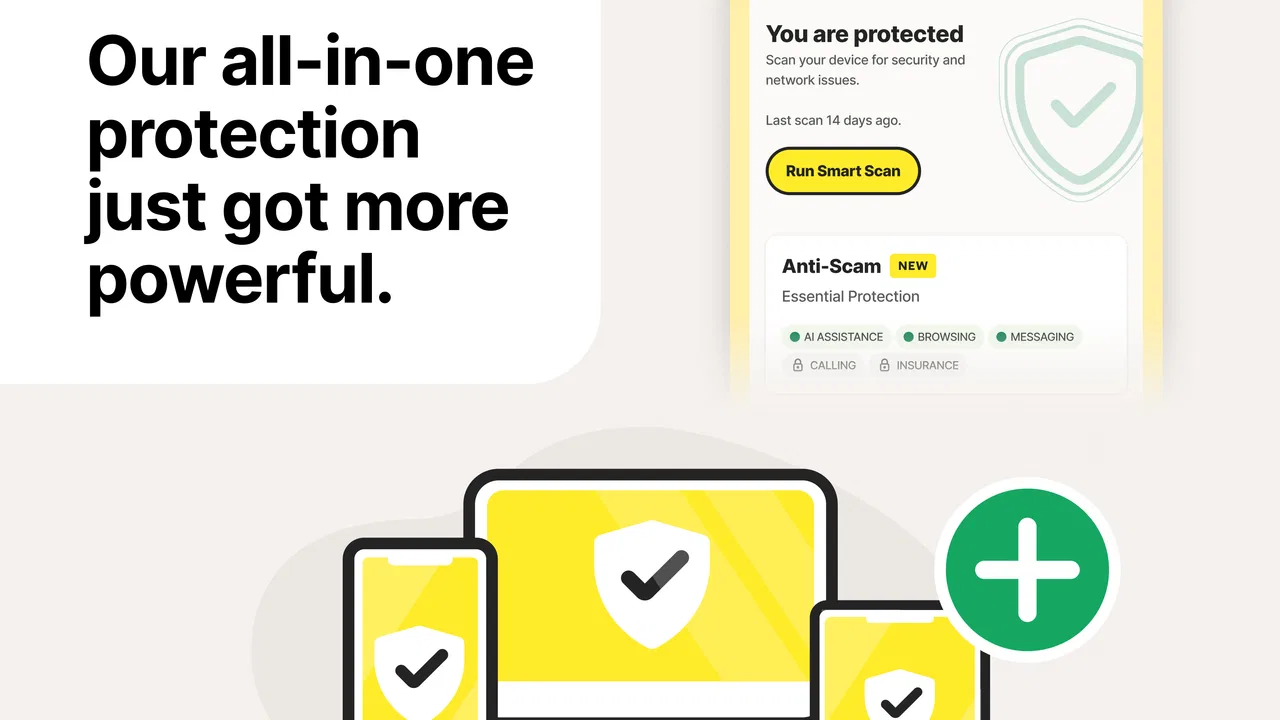
I recommend taking a slow tour of the main screen immediately after installation. Look for the current protection status, open each visible security area, and read the wording before accepting a prompt. This is especially useful if you only wanted to scan the phone. You can then distinguish between a completed scan, a recommendation, and an optional feature that still needs attention.
The app supports Android 10 and later, which is important before spending time troubleshooting an installation. If the phone runs an older system, the issue is compatibility rather than a failed scan. On a supported device, I would still make sure the operating system is reasonably up to date, because security tools work best when the phone itself is not several system revisions behind.
Another common sticking point is the difference between a security warning and a general phone problem. If the device is slow, warm, or showing repeated pop-ups, it is tempting to blame the antivirus application. Sometimes that is justified, but those symptoms can also come from a crowded storage drive, an aggressive third-party app, a browser tab, or a system process. Norton360 can help investigate security concerns, but it cannot make every performance issue a malware issue.
What I check before starting a scan
Before running a full check, I close anything I do not need and connect the phone to a reliable network if the app requests online access. I also avoid interrupting the process by launching games, recording video, or repeatedly switching between applications. A scan that appears stuck may simply be competing with a busy phone.
I keep the screen available long enough to see the result rather than assuming that tapping the scan button is the end of the process. If the result includes a recommendation, I read the explanation before changing settings. That small habit prevents a common mistake: treating every recommendation as proof that the phone is infected.
It is also worth checking free storage. A phone with almost no room left can behave unpredictably, and that can affect updates, temporary scan work, and the normal operation of unrelated apps. Clearing a little space and restarting the device is a sensible first step when Norton360 closes unexpectedly or refuses to finish an action.
The most useful setup habit is to separate protection from notification overload. Security alerts are valuable when they identify a real action, but too many prompts can make users dismiss everything. I prefer to keep meaningful warnings visible while reviewing optional reminders individually. This makes it easier to notice a genuine problem later.
Why the VPN needs a different mindset
The VPN is not simply another version of a virus scan. A scanner examines the device or its software for security concerns, while a VPN changes how network traffic is handled. If I am checking a downloaded file, I use the scanner. If I am connecting through an unfamiliar network, I think about the VPN separately and confirm whether it is actually enabled before assuming it is protecting the connection.
This distinction matters in everyday use. Suppose I am working from a café and need to check email. I would first open the VPN area, confirm its status, and then use the connection. Later, when I return home, I would check whether I still want that network route active. Leaving a VPN running is not automatically wrong, but it can affect connection behavior, battery use, or access to services that expect a direct local connection.
People who only want a quick file scan may find the broader security presentation unnecessary. On the other hand, someone who regularly uses public Wi-Fi may appreciate having both tools in one place instead of maintaining a separate scanner and VPN application. The advantage is convenience; the trade-off is that there are more settings and states to understand.
Setup checks that save time later
After installation, I would confirm that the app opens normally, that the phone is running Android 10 or newer, and that the first scan can complete without interruption. I would also note whether the device has another security or VPN tool installed. Two applications trying to perform similar jobs can create confusing warnings, duplicated notifications, or connection conflicts even when neither one is malicious.
That does not mean every other security app must be removed immediately. It means I would identify which tool is responsible for scanning and which one controls the VPN. If Norton360 is the product I intend to use, giving it a clear role makes later troubleshooting much easier. This is a practical improvement that is easy to miss when installing several protective tools for reassurance.
The app is free, but it includes in-app purchases ranging from $0.99 to $264.99 per item. I would pay close attention to the wording on any upgrade screen and avoid assuming that every visible feature is included in the free experience. A free download can still contain optional paid plans or additions, so I treat the purchase screen as a decision point rather than tapping through it automatically.
That advice is particularly relevant for families. The content rating is Everyone, which makes the app broadly suitable from an age-classification perspective, but an adult should still handle account decisions and purchase prompts on a shared phone. The age label tells me about content suitability; it does not replace sensible supervision of subscriptions or security settings.
The current version is 26.2.0.260206117. I would use the current build available for the phone rather than relying on an old installation, because security software needs regular maintenance to remain useful. If an update seems to have caused trouble, I would restart the phone first, then test a scan and the VPN separately. Testing one function at a time makes it clearer whether the problem is broad or limited to one component.
A simple first-day routine
My preferred routine is deliberately boring. I install the app, open the dashboard, let the initial checks settle, run a scan while the phone is idle, and record what the result actually says. Then I test the VPN in a low-risk situation, such as browsing a normal website, rather than waiting until I am already in the middle of an important task on public Wi-Fi.
I do not change several security settings at once. If something later behaves differently, I want to know which change caused it. This is more reliable than turning on every option, seeing a connection fail, and then disabling everything in frustration.
For a family member who is not technical, I would demonstrate only the actions they are likely to need: checking the protection status, starting a scan, reading a warning, and opening the VPN controls. That small demonstration is more useful than telling them the app is “automatic,” because it gives them a way to respond when a warning appears.
Recovering when a normal workflow breaks
When a scan does not finish, I start with the least disruptive steps. I close other demanding apps, check available storage, restart the phone, and try the scan again. If the failure happens repeatedly, I compare it with another basic task inside Norton360. If the dashboard opens but only scanning fails, the problem is probably narrower than a complete installation failure.
If the VPN will not connect, I first check whether another VPN is active. I then disconnect and reconnect from the app rather than repeatedly toggling Android’s network controls. If ordinary internet access works without the VPN but disappears when it is enabled, I treat that as a connection-path problem, not evidence that the phone is infected.
A useful recovery method is to change only one variable. For example, I might move from a weak public network to a stable home connection and test again. If the action works at home but not on the original network, the network environment deserves attention. If it fails everywhere, I would look at the app installation, system compatibility, or a recent phone change.
Notifications can also make recovery confusing. A warning may remain visible after the underlying issue has been addressed, or a recommendation may return because a setting has not changed. I read the message again and look for its specific action instead of assuming that dismissing it resolves the cause. Security dashboards are helpful only when the user distinguishes status, advice, and urgent action.
I would avoid repeatedly clearing data or uninstalling the app as a first response. Those steps can remove local state and force the setup process to begin again, which may make it harder to understand what went wrong. They become reasonable later if simpler checks fail, but I prefer to preserve the current state while I diagnose the problem.
When the app is not the cause
Some alarming behavior has nothing to do with Norton360. A browser that opens unwanted pages may have a problematic website notification enabled. A battery that drains quickly may be affected by screen brightness, location use, video playback, or a separate application running in the background. A phone that freezes may be struggling with storage or an operating-system issue.
I look for patterns. If the problem occurs only inside one browser, I investigate that browser. If it appears only when a particular game or social app is open, I test that app independently. If the VPN changes how one service loads while everything else works, I consider whether that service dislikes the network route. This prevents the common mistake of uninstalling a security tool that was merely present when another problem happened.
There is also a human factor. If a warning appears after installing an unfamiliar application, I do not immediately grant every requested permission or follow a dramatic instruction. I stop, read the warning, and decide whether the newly installed app is necessary. Norton360 can support that decision, but the safest response still involves removing software I no longer trust and avoiding suspicious links.
For users who want complete control over every network setting, a dedicated VPN may be a better fit. For users who want only the protections built into their phone and dislike extra dashboards, the built-in tools may be enough. I see Norton360 as most useful for people who value a central place to check device security and network protection, not for someone seeking the smallest possible software footprint.
How it compares with simpler alternatives
The usual alternative is to rely on the phone’s built-in security features and use a separate VPN only when needed. That approach can be quieter and easier to understand, especially for a careful user who installs apps only from familiar sources. Its weakness is fragmentation: scanning, network protection, and warnings may live in different places.
Norton360’s advantage is the combined workflow. I can think about a suspicious download, the general device status, and an unfamiliar network from one security-centered app. The disadvantage is that the combined approach asks me to learn more than one control area and to pay attention to optional purchase prompts.
A standalone antivirus tool may suit someone who does not want a VPN, while a dedicated VPN may provide a more specialized network experience for a person whose main concern is connection routing. Norton360 is the compromise choice: broader than a basic scanner, but less narrowly focused than a tool designed around one job.
I would also avoid comparing it only by the number of visible features. A feature is useful when it fits a real routine. If I travel, download files from different sources, and use public networks, the combination has a clear purpose. If I stay on trusted networks and rarely install anything outside familiar channels, the extra controls may not justify the added complexity.
My practical verdict after using it
Norton360 Antivirus & Security is a sensible choice for Android users who want security scanning and VPN access gathered in one place. I like the way that arrangement can turn a vague concern into a repeatable routine: check the dashboard, scan when something looks suspicious, and verify the VPN before using an unfamiliar network.
Its main weakness is not a lack of ambition but the amount of interpretation it requires. A new user can easily confuse a recommendation with an infection, assume the VPN is active without checking, or blame the app for a phone problem caused elsewhere. The best experience comes from reading each status carefully and changing settings methodically.
The app is free to start, rated Everyone, and maintained by NortonMobile, but optional in-app purchases mean I would review upgrade screens rather than treating every feature as automatically included. I would also make sure the phone meets the Android 10 minimum and keep the installation current.
My recommendation is straightforward: choose it if you want an all-around security companion and are willing to spend a few minutes learning its dashboard. Skip it if you want a nearly invisible tool, already have a trusted security setup, or need a highly specialized VPN experience. For everyone in between, it offers a useful middle ground, provided you use it as a guide for sensible decisions rather than as a substitute for them.
My final advice is to test the scanner and VPN separately on the first day, then keep the workflow simple. That approach reveals whether the app fits your phone, your networks, and your habits before you depend on it during a genuinely stressful security situation.
FAQs for Norton360 Antivirus & Security
01What devices is Norton360 Antivirus & Security compatible with?
Norton360 Antivirus & Security is compatible with a wide range of devices, including Android smartphones and tablets, as well as iOS devices. It supports various operating system versions, ensuring it can run on most modern devices. Always check the compatibility requirements in the app store to ensure your device meets the necessary specifications.
02Does Norton360 Antivirus & Security offer real-time protection?
Yes, Norton360 provides real-time protection against a variety of threats, including viruses, malware, spyware, and ransomware. This feature continuously monitors your device for suspicious activity, offering immediate protection and alerts to keep your data and device secure at all times.
03What additional features does Norton360 offer besides antivirus protection?
Beyond antivirus protection, Norton360 includes features such as a VPN for secure internet browsing, a password manager to safely store and manage passwords, and dark web monitoring to alert you if your personal information is detected on the dark web. It also offers parental controls for families to manage their children's online activities.
04How user-friendly is Norton360 for beginners?
Norton360 is designed with user-friendliness in mind, featuring a clean, intuitive interface that is easy to navigate even for beginners. The setup process is straightforward, with guided instructions and support readily available. The dashboard provides clear information on your device's security status, making it accessible for users of all technical levels.
05Is there customer support available if I encounter issues with Norton360?
Yes, Norton360 offers comprehensive customer support available through various channels, including live chat, email, and phone support. They provide assistance for installation, troubleshooting, and any questions you may have about the app. Additionally, the app includes a detailed FAQ section and user guides to help resolve common issues.
Pros
- Comprehensive security features included.
- User-friendly interface for easy navigation.
- Real-time threat protection updates regularly.
- Includes VPN for secure browsing.
- Efficient parental controls feature.
Cons
- Can slow down device performance slightly.
- Subscription can be pricey for some users.
- Occasional false positives in threat detection.
- VPN has limited server locations.
- Requires regular updates for optimal use.

Norton360 Antivirus & Security
Gallery